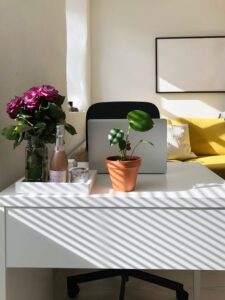
Tips for Organizing a Clutter-Free and Productive Home Workspace

Creating a home workspace that is both clutter-free and productive can significantly improve your focus and work efficiency. Whether you’re working remotely full-time or just need a dedicated corner for occasional tasks, organizing your space thoughtfully will help you stay motivated and reduce stress. In this post, we’ll explore practical tips to design a home workspace that supports your productivity while minimizing distractions.
Why Organize Your Home Workspace?
A well-organized workspace helps you find what you need quickly, reduces mental clutter, and makes working from home a more enjoyable experience. When everything has its own place and your environment feels calm, your mind can focus better on the work at hand. Plus, a tidy area can inspire creativity and boost your overall mood.
Getting Started: Clearing the Clutter
Before setting up your workspace, take some time to declutter.
– Empty your desk and drawers: Remove everything to start fresh.
– Sort items into categories: Keep, discard, or relocate to other rooms.
– Limit what stays: Only essential work tools should remain on or in your desk.
Decluttering creates a clear canvas so you can arrange your materials in a purposeful and accessible way.
Choosing the Right Location
The spot you select for your home workspace impacts your productivity.
– Natural light: Set up near a window if possible to enjoy daylight and reduce eye strain.
– Quiet area: Choose a place with minimal noise and distractions.
– Comfortable space: Ensure enough room for your equipment and some movement.
If space is limited, consider a foldable desk or a small corner that can be dedicated to work.
Setting Up Your Desk Ergonomically
Comfort helps you work longer without fatigue.
– Chair: Use an adjustable chair that supports your lower back.
– Desk height: Your elbows should rest at a 90-degree angle when typing.
– Monitor position: Place your screen at eye level about an arm’s length away.
Adding a footrest or wrist support can further improve comfort.
Organizing Tools and Supplies
Keeping your tools organized helps prevent distractions.
– Desk organizers: Use trays, pen holders, and drawers to store frequently used items.
– Cable management: Employ clips or ties to keep cords tidy and out of the way.
– Digital declutter: Organize your files on your computer with folders and backup important documents.
Labeling storage containers can save time when searching for materials.
Creating a System for Paperwork
Paper accumulation is one of the biggest clutter culprits.
– Use filing folders: Categorize papers by project, date, or priority.
– Digitize documents: Scan important papers to reduce physical storage.
– Daily review: Set aside five minutes at the end of each day to clear your desk and sort paperwork.
Keeping paperwork organized avoids last-minute scrambles and lost information.
Personalizing Without Overcrowding
A few personal touches can make your workspace inviting.
– Add plants: Small greenery can improve air quality and brighten the area.
– Decorate thoughtfully: Choose one or two favorite photos or artwork pieces.
– Keep it simple: Avoid too many decorative items that create clutter.
Balance personalization with functionality to maintain a professional work mindset.
Establishing Routine and Habits
How you use your space daily affects its effectiveness.
– Set working hours: Define when you start and stop work to avoid burnout.
– Keep your space tidy: Spend a few minutes decluttering at the end of each workday.
– Take breaks: Step away from your desk regularly to refresh your focus.
Consistent habits will sustain your organized environment over time.
Utilizing Storage Solutions
Maximize your space with smart storage.
– Shelves and drawers: Use vertical space for books, supplies, and files.
– Under-desk storage: Rolling carts or bins can hold items without cluttering your desktop.
– Multi-functional furniture: Desks with built-in storage help keep essentials within reach.
Choose storage that suits your work style and available space.
Managing Technology Efficiently
Technology is essential but can be overwhelming if not organized.
– Keep devices charged: Use a dedicated charging station to avoid scattered cables.
– Optimize your desktop: Regularly clean your computer desktop and uninstall unused apps.
– Backup regularly: Use cloud storage or external drives to save your work securely.
Efficient tech management reduces frustration and downtime.
Final Thoughts
Building a clutter-free and productive home workspace is achievable with a little planning and effort. Start by clearing clutter, choosing a comfortable location, and organizing your tools smartly. Over time, maintain the space with daily habits and storage solutions tailored to your needs. A well-organized workspace will not only improve your work performance but also make your home feel more pleasant and balanced.
By applying these tips, you’ll create an environment that helps you do your best work from the comfort of your home. Happy organizing!